leakhalo
🏛️ Official Organization Repository: LeakHalo is now maintained at SLMNLABS/leakhalo.
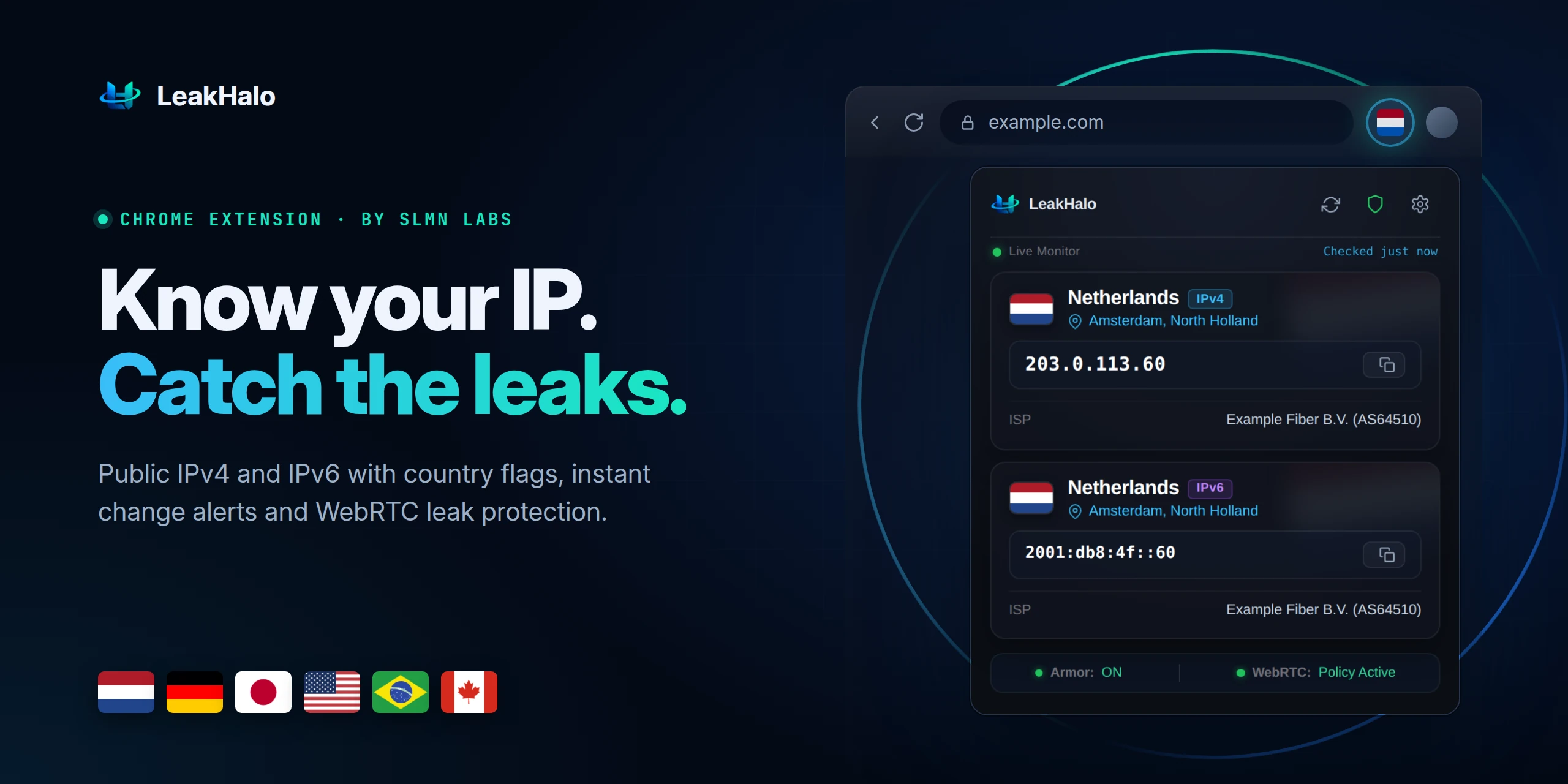
[](https://chromewebstore.google.com/detail/foondggjfgofibchcifainhcacedopcb) [](https://github.com/SLMN-LABS/leakhalo/actions/workflows/ci.yml) [](https://developer.chrome.com/docs/extensions/develop/migrate/what-is-mv3) [](https://slmn-labs.github.io/leakhalo/privacy.html) [](LICENSE) ### Your public IP, its country and every leak, one glance away in Chrome’s toolbar.
 [Features](#features) · [How it works](#how-it-works) · [Privacy](#privacy) · [FAQ](#faq) · [Development](#development)
LeakHalo shows the public IP address your browser really connects from, where in the world it appears to be, and whether WebRTC could reveal more than you think. A country flag lives in the toolbar, splits in two when IPv4 and IPv6 take different routes, and a desktop alert tells you within seconds when your IP changes: a VPN that dropped, a network that switched, a proxy rule that stopped applying.
No account. No analytics. No ads. Built by SLMN LABS.
Features
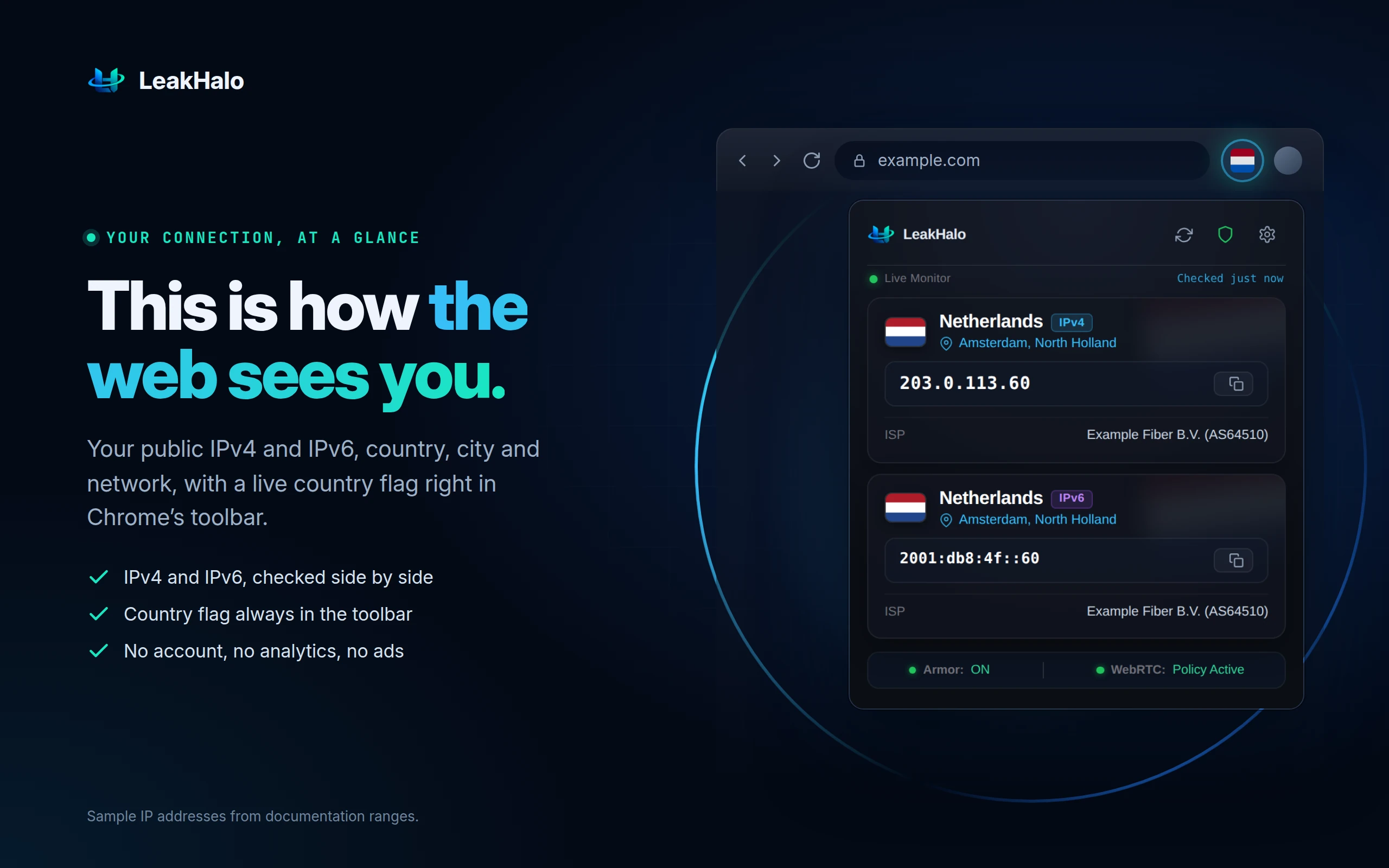
🌍 See how the web sees youPublic IPv4 and IPv6 side by side, with country, city and network (ISP and ASN). The country flag stays in the toolbar, so you always know where you appear to be. |
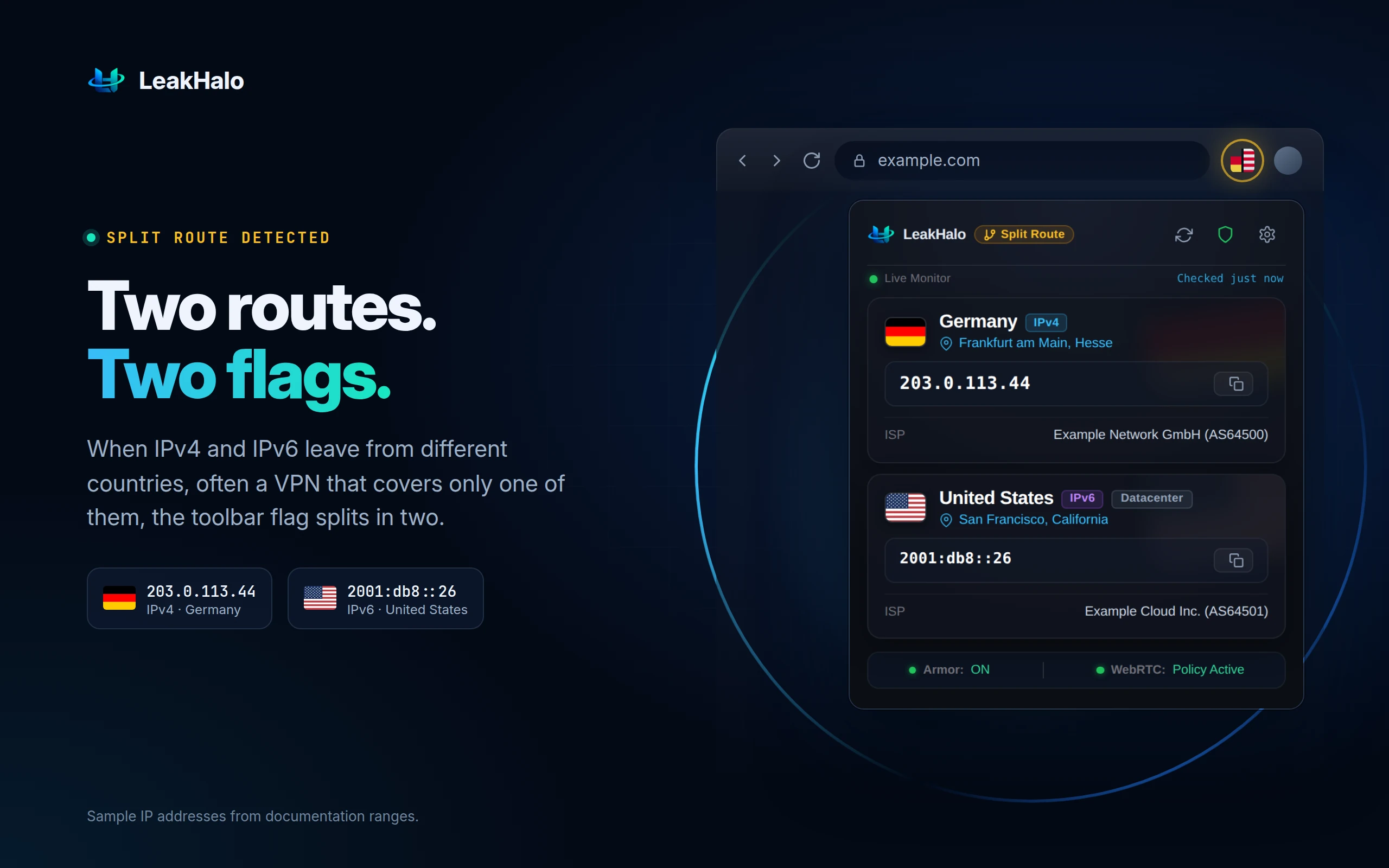
🔀 Split routes, caughtWhen IPv4 leaves from one country and IPv6 from another, often a VPN that covers only one of them, the flag splits in two and the popup marks the route. |
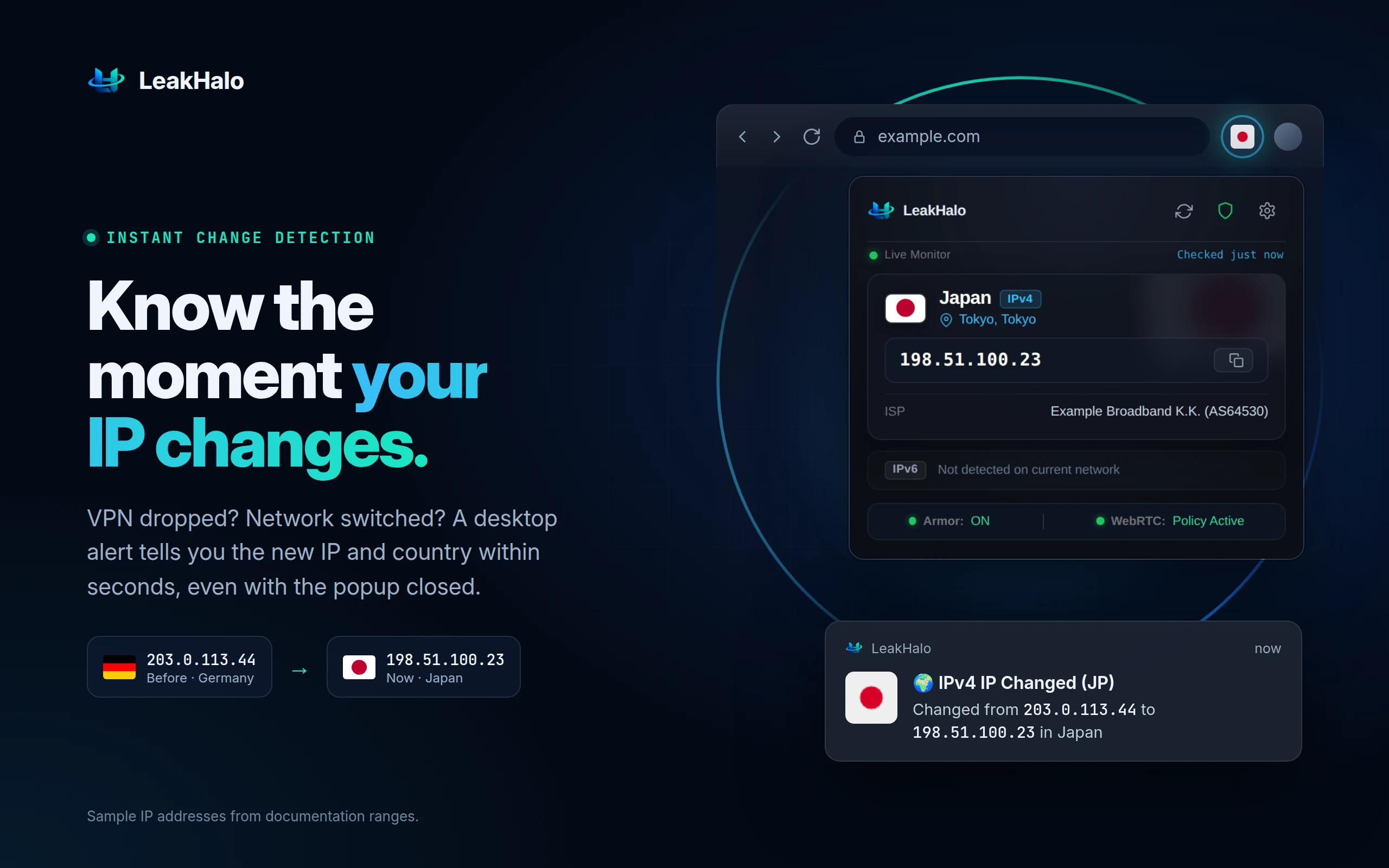
⚡ Instant change alertsA desktop notification with the new IP and country within seconds of a change, even with the popup closed. Each real change is announced once, never spammed. |
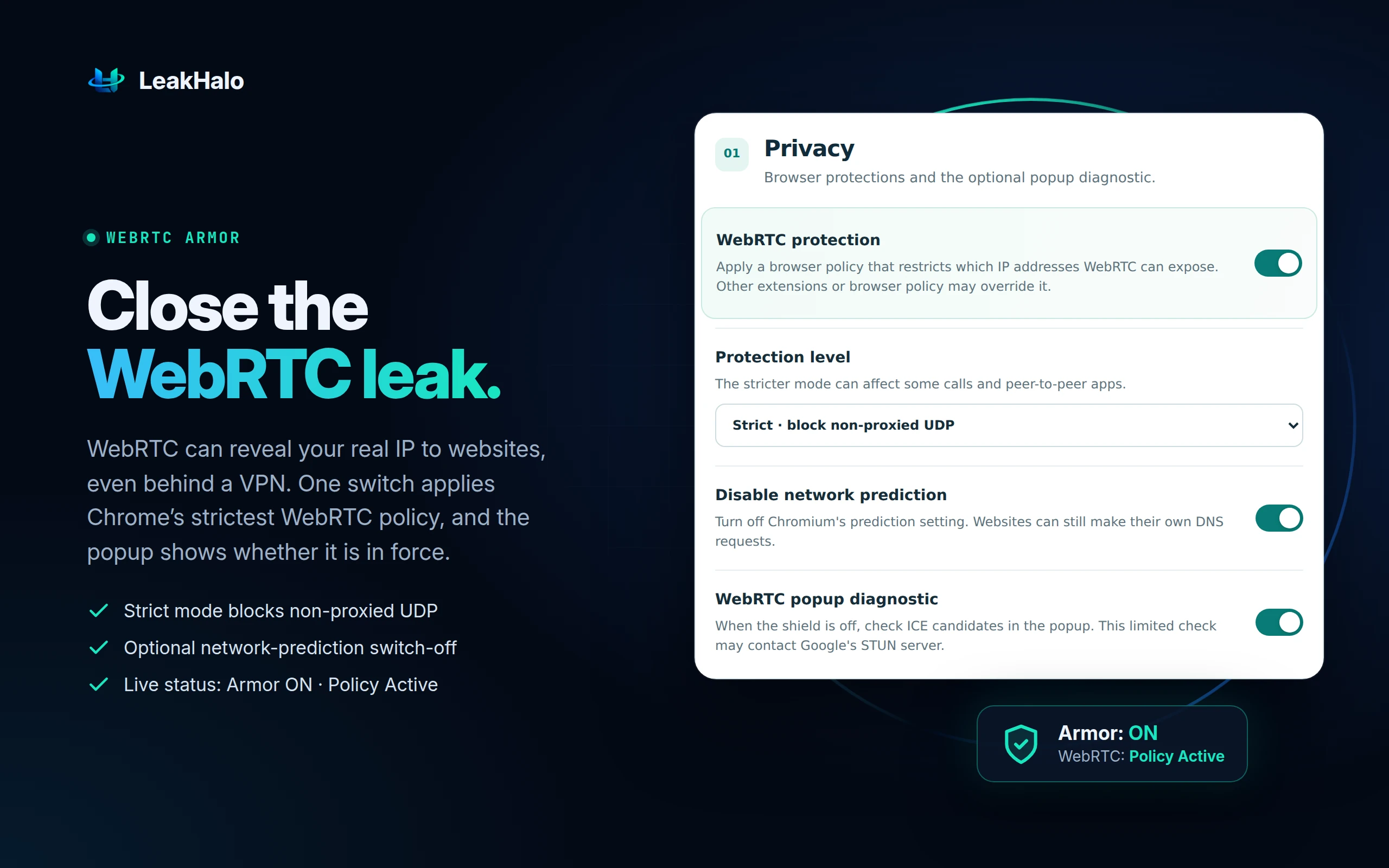
🛡️ WebRTC ArmorWebRTC can expose your real IP even behind a VPN. One switch applies Chrome’s WebRTC IP-handling policy (strict mode blocks non-proxied UDP), and the popup shows whether it is in force. |
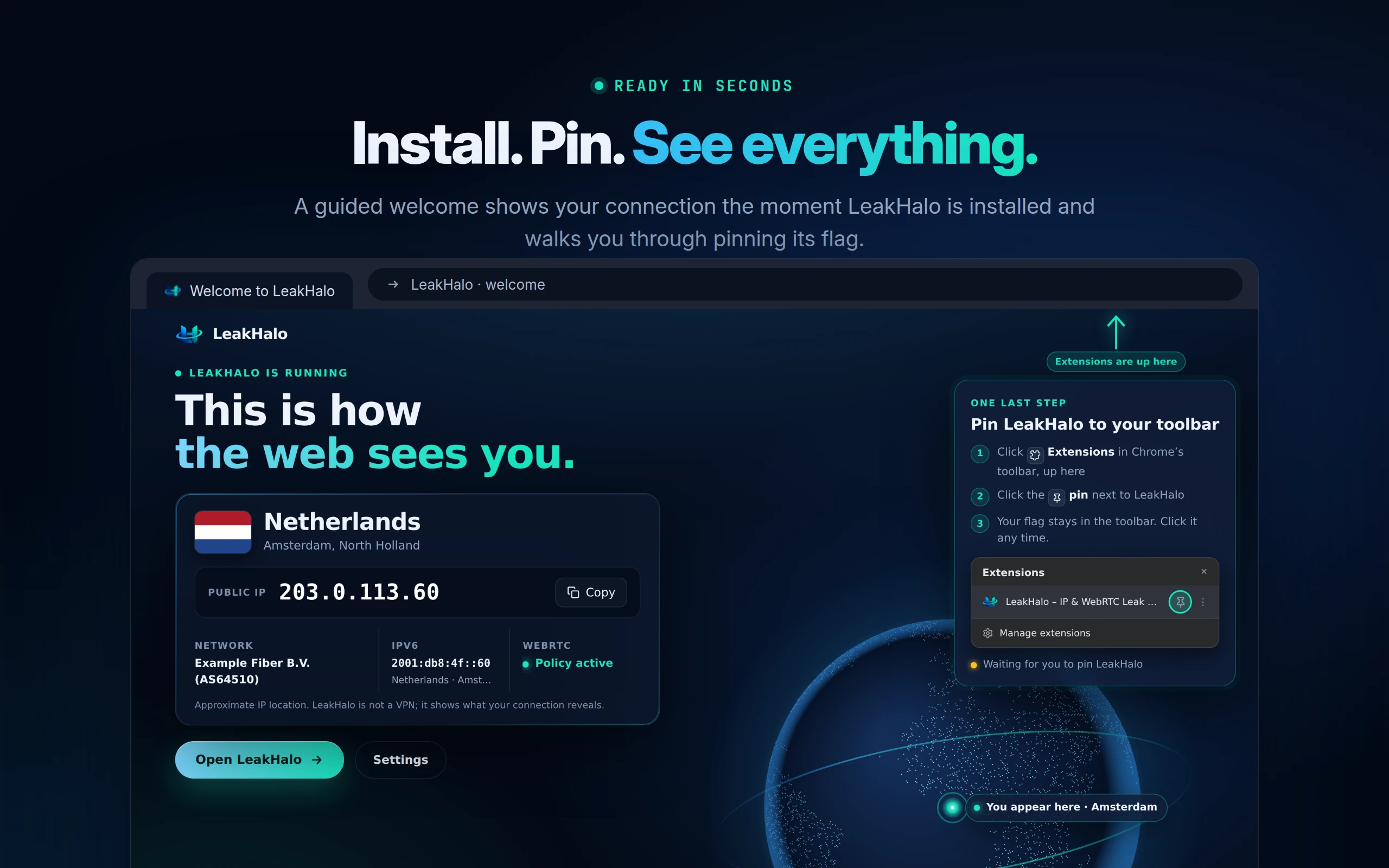
Ready in seconds. On first install a welcome page shows your live connection, guides you through pinning the flag to the toolbar and lets you choose alerts, instant detection and WebRTC Armor in one place.
And the details that matter
| 🎯 Stable answer | IPv4 is checked from two independent vantage points at once, so the displayed IP and country stay steady even when your network routes some sites differently. An optional warning tells you when that happens. |
| 🧭 Honest location | IP geolocation is approximate, and LeakHalo says so. If one location service fails, the next one answers. |
| 📴 Offline at a glance | Lose the connection and the toolbar icon turns grey within about a second; it comes back within seconds when you are online again. |
| 🕐 Time-zone hint | Sites can compare your clock with your IP’s location. Turn it on in Settings and the popup warns when your browser’s time zone does not match the IP’s, a common way to spot a VPN. |
| 🚨 Country alerts | A change of country, such as a VPN that dropped, gets its own alert, apart from routine IP changes. |
| 🙈 Screenshot mode | One click hides most of each IP in the popup for screenshots and streams; copying still copies the full address. |
| 🪶 Light | No frameworks, no remote code. A background check about every 30 seconds; while the popup is open, every 3 seconds, or every 10 while the instant-detection connection is up. |
| 🎨 Yours | Toolbar shows a flag, a flag with a country code, or the plain LeakHalo icon. Map links are optional. |
Install
➜ Get LeakHalo on the Chrome Web Store
One click on Add to Chrome, and the welcome page opens. Updates arrive automatically.
Or install manually from the GitHub release:
- Download the
LeakHalo-*.zipof the latest release and unzip it. - Open
chrome://extensionsand turn on Developer mode (top right). - Click Load unpacked and choose the unzipped folder. The welcome page opens.
Built and tested for Google Chrome on desktop. Other Chromium browsers that support Manifest V3 may work.
How it works
%%{init: {"theme": "base", "themeVariables": {"fontFamily": "Inter, Segoe UI, sans-serif", "primaryColor": "#0b1324", "primaryTextColor": "#eef4fc", "primaryBorderColor": "#38bdf8", "lineColor": "#19e6c1", "clusterBkg": "#071328", "clusterBorder": "#1d6fe0", "titleColor": "#9db0c6", "edgeLabelBackground": "#0b1324", "textColor": "#9db0c6"}}}%%
flowchart TB
    CF["<b>IPv4 · edge view</b><br/>Cloudflare → icanhazip"]
    IP["<b>IPv4 · independent view</b><br/>ipify → Amazon checkip"]
    V6["<b>IPv6</b><br/>ipify → icanhazip"]
    GEO["<b>Location</b><br/>ipwho.is → GeoJS → ipinfo"]
    WATCH["<b>⚡ Instant detection</b><br/>Cloudflare trace every 3 s · paused when idle"]
    SW(["<b>LeakHalo service worker</b><br/>compares both IPv4 views · decides what you see"])
    UI["🏳️ Toolbar flag · 🪟 Popup · 🔔 Change alerts"]
    CF & IP & V6 & GEO -- HTTPS --> SW
    WATCH -. "IP changed?" .-> SW
    SW --> UI
- Two vantage points for IPv4. The edge view (Cloudflare) decides what you see. A different route is reported only when the independent view (ipify) keeps disagreeing for at least 15 seconds, and incomplete answers never flip the result.
- Instant detection. While you use the computer, a tiny request to Cloudflare’s trace every 3 seconds compares your IP and country with the last result; when they change, a full check runs at once, so the flag updates within seconds even with the popup closed. It pauses when the computer is idle or locked, and needs no server of LeakHalo’s own. Without it, the 30-second checks still catch every change.
- Robust by design. Every request has a timeout, a watchdog ends stuck checks, and a placeholder location is filled in as soon as a location service answers.
Privacy
LeakHalo keeps your results only in your browser. To learn your public IP it contacts the HTTPS services shown above, which receive your IP address as any website does. Nothing is sold, nothing is used for ads, and there is no account to create.
📄 Read the full privacy policy (source)
| Permission | Why LeakHalo needs it |
|---|---|
storage |
Your settings and the latest result, stored locally |
privacy |
Apply Chrome’s WebRTC IP-handling policy and the network prediction setting |
notifications |
The optional alert when your IP changes |
alarms |
Background checks about every 30 seconds |
idle |
Pause instant detection while you are away or the screen is locked |
No access to the sites you visit. LeakHalo has no host permissions: it reaches the IP and location services with standard cross-origin requests, so Chrome shows no “Read and change your data” warning.
FAQ
Is LeakHalo a VPN?
No. LeakHalo does not route or encrypt your traffic. It shows what your connection reveals and helps you notice when that changes, which makes it a good companion to a VPN or proxy.
Does LeakHalo run a server?
No. Since 1.2.0 instant detection uses only Cloudflare’s public trace, every few seconds while you are active. Turn Instant change detection off in Settings to rely on the 30-second checks only.
Why does my flag split in two?
Your IPv4 and IPv6 traffic leave from different countries. Many VPNs tunnel only IPv4, so sites reachable over IPv6 can still see your real network. The popup shows both addresses so you can tell which is which.
Can WebRTC Armor be overridden?
Yes. Another extension or a managed browser policy can control the same Chrome setting. The popup reports whether Chrome says LeakHalo’s policy is actually in force.
How accurate is the location?
IP geolocation is an estimate from public databases. The country is usually right; the city can be off, especially on mobile networks and VPNs.
Development
npm test                          # static checks and background runtime tests, no install needed
npm install                       # playwright-core, for the browser tests
npx playwright-core install chromium
node test/e2e_browser.cjs         # loads the extension in real Chromium against local provider stand-ins
node test/e2e_browser.cjs --live  # also runs once against the real providers
background/   service worker: IP checks, routing logic, alerts, WebRTC policy, instant detection
popup/        the toolbar popup
options/      settings page
welcome/      first-install welcome page
assets/       brand, icons and flags
test/         static checks, runtime smoke tests, end-to-end browser tests
To package for the store, zip manifest.json, background/, popup/, options/, welcome/, assets/, privacy.html and privacy.css.
Found a bug or have an idea? Open an issue. Security problems go privately to the address in SECURITY.md.
License
Source code and documentation © 2026 SLMN LABS, released under the MIT License. The license applies to the extension source code and documentation; bundled image assets are excluded and carry their own licenses, listed in ASSET_ATTRIBUTION.md.